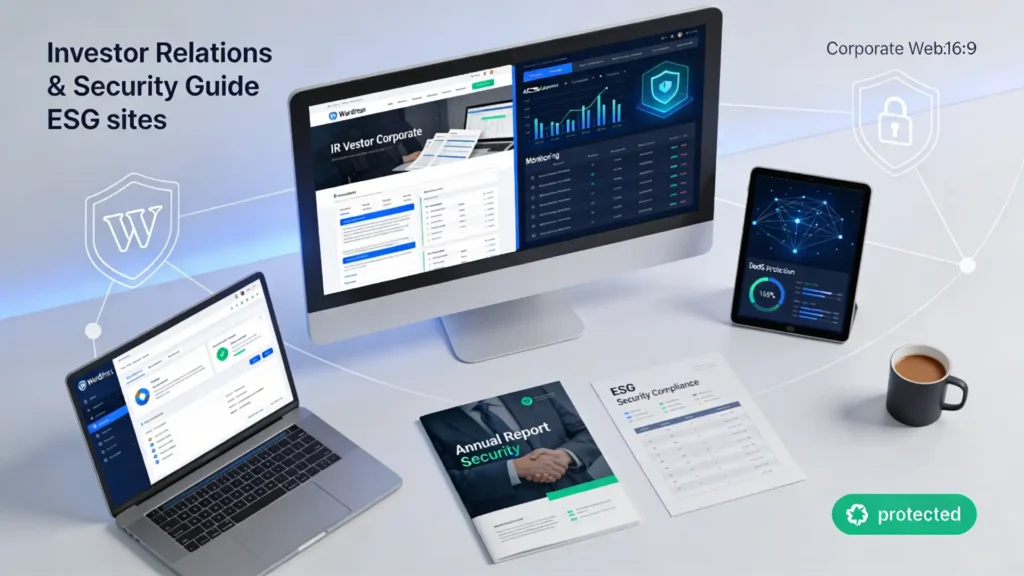
Quick take: Investor Relations (IR) and ESG sites are high-visibility, high-trust surfaces. Treat them like production systems: design for availability (DDoS), integrity (defacement/document tampering), and controlled publishing (access + change control).
If you’re a public company, align your incident workflow with the reality that material cybersecurity incidents may trigger time-sensitive disclosure obligations—see the SEC’s final rules on cybersecurity risk management, governance, and incident disclosure for the exact framing and timelines.
Who this is for
- IR, ESG, Comms, and Web teams are responsible for the public-facing disclosure hub
- Security and IT teams supporting identity, hosting, DNS, CDN/WAF, and monitoring
- Teams running WordPress (or similar CMS) with Classic Editor publishing workflows
Threats that matter most
DDoS (availability attacks)
A denial of service (DoS) attack tries to overload a site or network so it becomes slow or unavailable; distributed DoS (DDoS) comes from many sources and is typically harder to filter. The UK NCSC’s DoS guidance also emphasizes four essential practices: understand your service, understand your defences, create a response plan, and test your response.
Ransomware (business disruption + extortion)
Ransomware is no longer just “encrypt and demand payment.” It often includes data theft and extortion pressure, which can drag your IR/ESG operation into crisis communications and disclosure coordination—see the NSA’s #StopRansomware guide release for the modern threat shape.
Web application risks (what actually gets exploited)
Most CMS-driven IR/ESG sites fail in predictable places: weak access control, insecure configuration, vulnerable plugins/components, and injection-style flaws. OWASP’s Top 10:2021 web application risk list is a practical way to sanity-check your controls and testing coverage.
How to protect IR & ESG websites (layered workflow)
Step 1: Define “what must never break”
Start with an inventory and a business impact view. A lightweight way to do this is to build a site profile aligned to outcomes (not tools) and map it to your enterprise risk approach (see NIST CSF 2.0, which is intentionally non-prescriptive).
- Critical pages: releases, filings links, ESG reports, leadership/governance pages
- Critical assets: PDFs, images, video embeds, JavaScript snippets, CSS
- Critical events: earnings day traffic spikes, M&A announcements, crisis updates
Internal workflow note: document your publishing workflow and handoffs in your IR website change-control playbook so you can prove who changed what, when, and why.
Step 2: Fix identity and admin access first
If attackers get admin access, everything else is damage control. Prioritize these controls before spending time on “nice-to-have” scanners:
- Require MFA for all admin/editor accounts; if possible, enforce SSO with conditional access.
- Use least privilege (separate “publisher” from “administrator” roles).
- Remove shared accounts; enforce named users with audit trails.
- Restrict admin access by IP/VPN where it won’t break operations.
If you run WordPress, apply hardening decisions consistently (plugins, themes, file permissions, XML-RPC exposure) and document them in your WordPress security hardening guide.
Step 3: Reduce your attack surface (CMS + plugins + files)
- Delete unused plugins/themes (disabled is not the same as removed).
- Patch fast: CMS core, plugins, themes, server packages, and CDN/WAF rules where relevant.
- Disable file editing in the admin panel; control code changes via deployment.
- Lock down upload paths; restrict file types; scan uploads where feasible.
IR/ESG-specific risk: PDFs are a core asset type. Use an internal PDF publishing integrity checklist (naming conventions, hashing/signing where appropriate, version control, and rapid rollback).
Step 4: Prepare for traffic shocks (DDoS-ready architecture)
- Use a CDN in front of origin; keep caching rules simple for “release day.”
- Separate static assets (PDFs, images) from dynamic CMS where possible.
- Set realistic rate limits on login, search, and form endpoints.
- Pre-stage an “emergency static mode” page for outages.
Put your runbook in a place people can reach during an outage (not only inside the impacted CMS) and link it from your DDoS incident runbook.
Step 5: Add integrity controls (stop quiet tampering)
- Enable strong logging for admin actions (logins, role changes, post/page edits, media replacements).
- Use file integrity monitoring on themes, plugins, and critical directories.
- Protect DNS and domain registrar accounts with MFA and change alerts.
- Deploy baseline security headers and TLS settings (and test them after each release).
Keep your recommended settings and test workflow in a single internal security headers and HSTS/CSP guide so changes don’t depend on tribal knowledge.
Step 6: Backups you can actually restore
- Back up: database, uploads/media, theme/templates, and configuration.
- Store backups out-of-band (separate credentials/tenant) to reduce ransomware blast radius.
- Run quarterly restore drills with a measurable target (RTO/RPO) that Comms can live with.
Capture ownership and escalation in your website incident response plan template (security, IT, IR, legal, PR, and your hosting/CDN contacts).
Step 7: Vendor due diligence (IR/ESG platforms, agencies, and embeds)
Many IR/ESG stacks include third-party forms, consent tools, analytics, webcasts, and hosted IR platforms. Before you renew or migrate, use a short vendor security questionnaire for IR websites and require clear answers on:
- Access model (SSO/MFA, role-based access control, audit logs)
- Patch and vulnerability management (SLAs, how emergency fixes are handled)
- Segregation and data handling (tenancy model, admin access controls)
- Incident communications (who notifies you, how fast, and what evidence you get)
- Availability commitments (uptime definitions, maintenance windows, DDoS posture)
Implementation checklist (printable)
- Inventory critical IR/ESG pages, PDFs, and third-party embeds.
- Enforce MFA/SSO for all admin/editor accounts; remove shared logins.
- Remove unused plugins/themes; patch everything on a defined cadence.
- Put CDN in front; define caching and “release day” traffic plan.
- Turn on admin change logging and file integrity monitoring.
- Harden DNS/registrar access; enable change alerts.
- Test backups with a real restore drill (not just “backup succeeded”).
- Run a tabletop exercise: DDoS + defacement + ransomware scenario.
Decision tree: what to do during an incident
Is the site unavailable? Yes → Check CDN status & origin health → Apply DDoS runbook → Publish static status page → Notify stakeholders No → Is content altered/defaced? Yes → Freeze publishing → Capture evidence → Roll back to known-good → Rotate credentials → Review admin logs No → Is there suspicious admin activity? Yes → Lock accounts/SSO sessions → Reset MFA secrets if needed → Audit roles/plugins → Expand monitoring No → Continue monitoring and document the event
Troubleshooting (common failure modes)
- “We turned on the CDN but releases still time out.” Your origin may be overloaded or cache rules may bypass PDFs and key pages; validate cache hit rate on release templates and large documents.
- “We have backups, but restore takes days.” Backups without rehearsed restores are a false sense of safety; define RTO/RPO with IR/Comms and run a drill.
- “Editors need admin rights for speed.” That’s a process smell; create a publisher role and a fast approval lane instead of expanding privileges.
- “We can’t tell what changed.” Enable audit logs for logins, role changes, and content edits; keep logs outside the web server where possible.
Key takeaways
- Start with access control and change control—most “site compromises” become trivial if admin access is strong and auditable.
- Design for traffic spikes: release day is when availability matters most.
- Operationalize recovery: restore drills beat backup checkmarks.
- Third parties are part of your attack surface—treat embeds and vendors like code.
FAQ
Do IR and ESG sites need different security controls?
The core controls are the same, but IR/ESG sites usually need stricter integrity and publishing governance because changes can be reputationally and financially sensitive.
Should we put the IR site on a separate CMS?
Sometimes. Separation can reduce blast radius, but it also adds operational overhead; decide based on how often you publish and how mature your deployment and access controls are.
Is a WAF enough to stop SQL injection and similar attacks?
No. A WAF can help reduce noisy exploitation, but you still need patching, secure coding, and least privilege—especially for CMS plugins and custom integrations.
How often should we patch plugins?
Set a standard cadence (for example weekly) plus an emergency path for critical vulnerabilities. The “right” answer depends on your change control maturity and vendor support.
What’s the minimum DDoS plan we should have?
At minimum: who to call (hosting/CDN), what to change (rate limits/caching), how to communicate publicly, and how to keep a static fallback page available.
How do we protect PDFs and ESG reports from tampering?
Use version control, restricted upload permissions, and a documented publishing workflow; consider hashes/signatures for high-stakes documents and keep rapid rollback capability.
What logs matter most for IR website investigations?
Admin logins, MFA/SSO events, role changes, plugin/theme changes, file changes, and the full publish/edit history for critical pages and media.
When should we bring in external incident responders?
If you can’t confidently scope impact, if admin access is suspected, or if extortion/ransomware is involved, engage specialists early—speed matters more than perfection.

💬 Comments